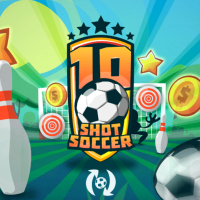
10 Shot Soccer
Penalty games on Head Football Games, no install needed.
This category includes 8 penalty games on Head Football Games. The newest addition is 10 Shot Soccer, released 2026-06-22. Most titles are published by Miniplay and run directly in the browser.
Penalty games on Head Football Games narrow football down to one moment: the shot versus the keeper. You either take the penalty or try to save it.
The mechanics are usually simple. As a shooter, you aim and power up. As a keeper, you guess the direction and dive. The tension comes from the binary outcome.
These games are perfect for short sessions and settling friendly rivalries.
Most of these games use a drag-and-release motion — click or tap, pull back to set direction and power, then release to shoot, pass, or strike. A few titles rely on the keyboard instead, using the arrow keys for movement and a single key for actions like kicking or jumping. Many games here offer separate control layouts for desktop and mobile, so they work well whether you are on a laptop, tablet, or phone. Every game shows its full control layout before you start, so you never have to guess which key does what.
Vary your aim and power. Keepers often guess the same direction, so mixing high, low, and corner shots helps.
Yes, Many penalty games let you switch between shooter and keeper, or include a dedicated keeper mode.
Some are, yes. Look for the '2-player' tag to take turns against a friend on the same device.
There are 8 penalty games on Head Football Games. Popular titles include 10 Shot Soccer, Free Kicks WC 2026, GoalKings. All of them run in the browser with no download needed.
100% of penalty games on Head Football Games (8 out of 8) include documented controls. The most common inputs are Release finger, Release, Touch and drag, release, Click and drag toward the goal. Each game page lists the exact layout before you start.
A few penalty games support two-player mode, such as Soccer Duel. Both players share the same keyboard with separate key bindings.
75% of penalty games on Head Football Games (6 out of 8) have mobile or touch control layouts. Most of them also work in desktop browsers with a keyboard or mouse.
penalty games span genres like Sports, Football, Arcade. They share the penalty mechanic or theme while fitting into different game types across the Head Football Games catalog.